Is Phantom Recorder free?
+
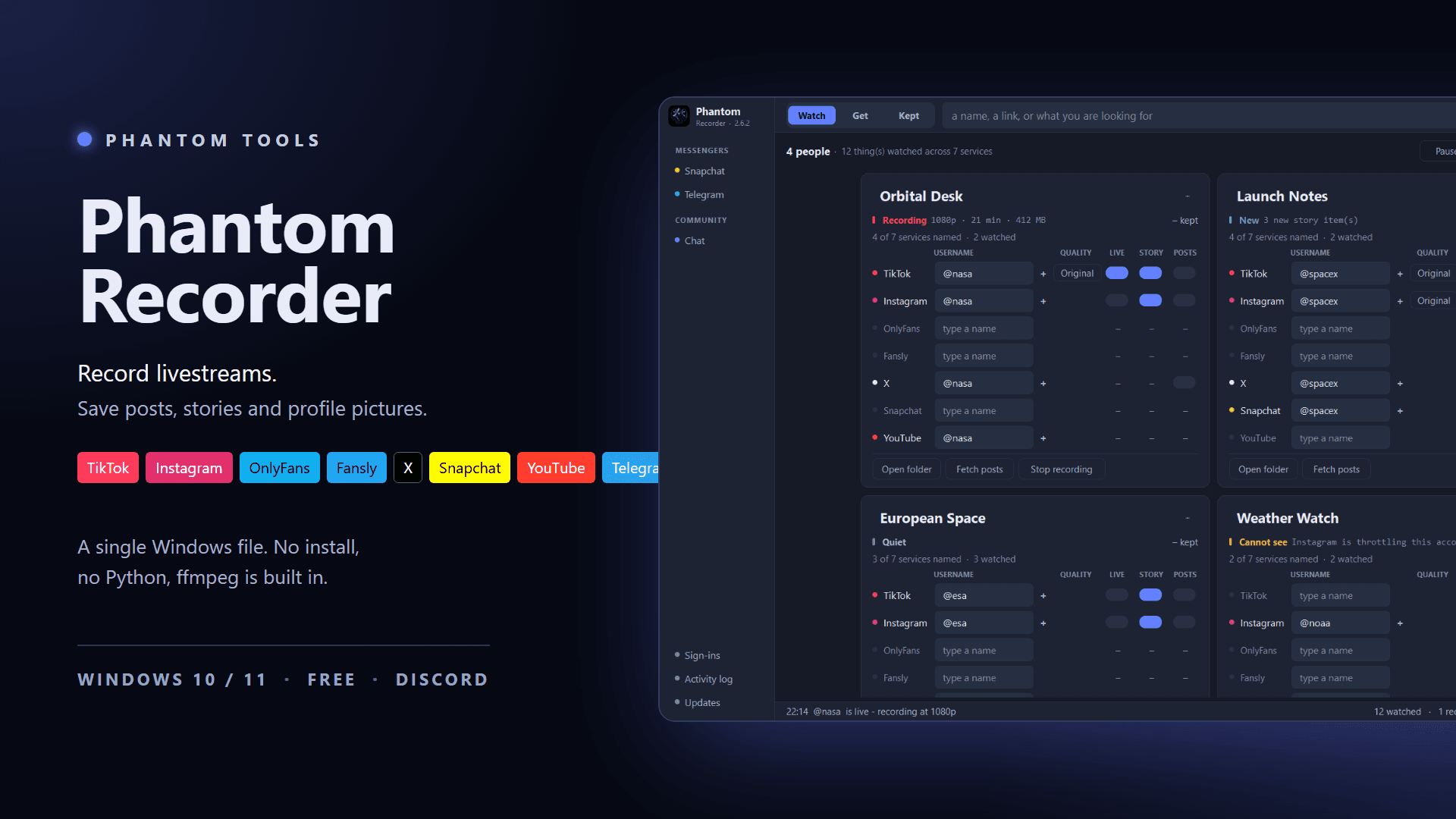
Yes. Phantom Recorder is free and runs on Windows 10 and 11. There is nothing to install: unzip it and start it. ffmpeg is included.
Which platforms does Phantom Recorder work with?
+
TikTok, Instagram, OnlyFans, Fansly, X, Snapchat and YouTube. Lives are recorded on TikTok and Instagram; stories, posts and highlights are saved wherever the platform has them. Telegram comes on top as a messenger in the sidebar.
Does it start recording a live by itself?
+
Yes. Switch LIVE on for an account and Phantom Recorder checks it in the background and starts recording as soon as the live begins. The QUALITY button beside the switches sets the quality, up to the original stream.
Can it download new posts by itself?
+
Yes. Switch POSTS on for a TikTok, Instagram, X, OnlyFans or Fansly account. About every 6 hours Phantom Recorder looks for new posts and downloads whatever wasn't there before. Settings → Check intervals changes how often.
Does it work with Telegram?
+
Yes. Telegram in the sidebar opens Telegram Web in a window of its own, where you sign in with the QR code. Every file you download there is filed under <chat>/Telegram/Chat, and Save all saves a whole chat. Chats that restrict saving stay restricted.
Do I have to sign in to the platforms?
+
Some platforms only show their content to signed-in accounts. For those you sign in inside the program, under Sign-ins in the sidebar, and Phantom Recorder saves what that account can already open. Paid content you have not bought stays locked.
Are my logins safe?
+
Your sign-ins to the platforms stay on your PC and are never uploaded. And everything you record and download is saved in your own folder on your PC.
Where do the files go?
+
Into the folder you choose in the settings, sorted by person, then platform, then kind — for example Lives, Stories or Posts.
Can I lock the program?
+
Yes. Settings → Program → App lock puts a PIN in front of the window. It can lock by itself after a while without use, and Ctrl+L or Lock now in the tray locks it at once. Recordings and downloads carry on behind the lock.
Do I need an account, and what happens on a new PC?
+
No account is needed. If you want one, it is just a username and a password, no e-mail address. Sign in with it on a new PC and your lists, settings and chat name are there again.
What is VIP?
+
VIP comes with a donation; ask in support on our Discord. It brings a “VIP · N days left” chip, writing as Anonymous in the chat, a decorated profile card, the VIP room and eight files per message instead of four.
How do updates work?
+
When a new version is out, the program offers it, and usually you decide when to install it. Some important updates can be required. Every update is signed and verified, and if one fails, the previous version is restored.