
Phantom Tools
 thumbsaver
v2.1
Every frame.Exactly one.Full quality.
Drop a video in, step through it frame by frame, and save the one you want at its original resolution. A portable Windows app — unzip, double-click, done.
thumbsaver-2.1-win64.zip
93.3 MB · Windows 10 & 11 · free
How it works
- 1
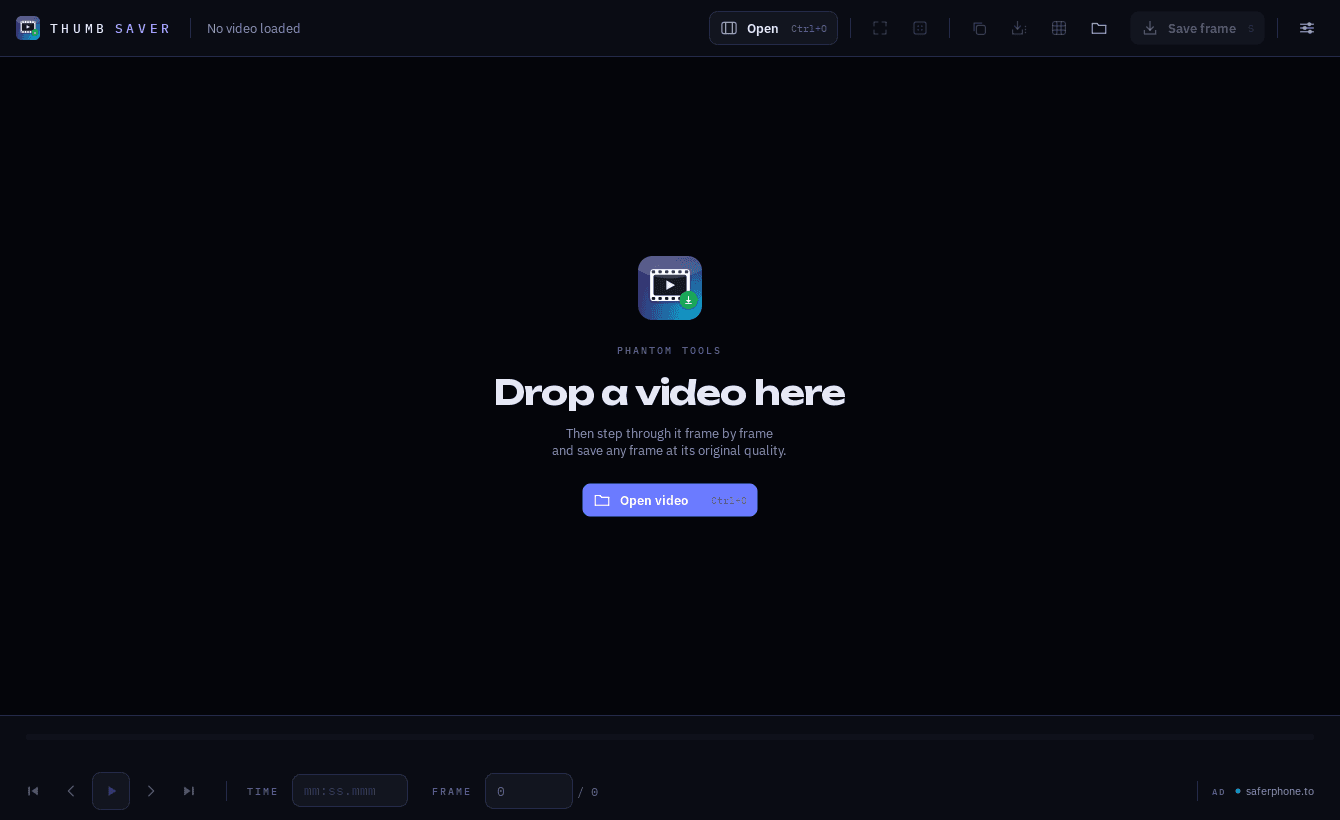
Drop a video in
Onto the window, onto the .exe, or open it with Ctrl+O. Anything ffmpeg reads.
- 2
Find the frame
Arrow keys step one frame, Ctrl+arrows ten. Drag the timeline to scrub, or type a time or frame number.
- 3
Save it
S writes the frame to the exports folder at full resolution. Ctrl+S saves it somewhere else, Ctrl+C copies it.
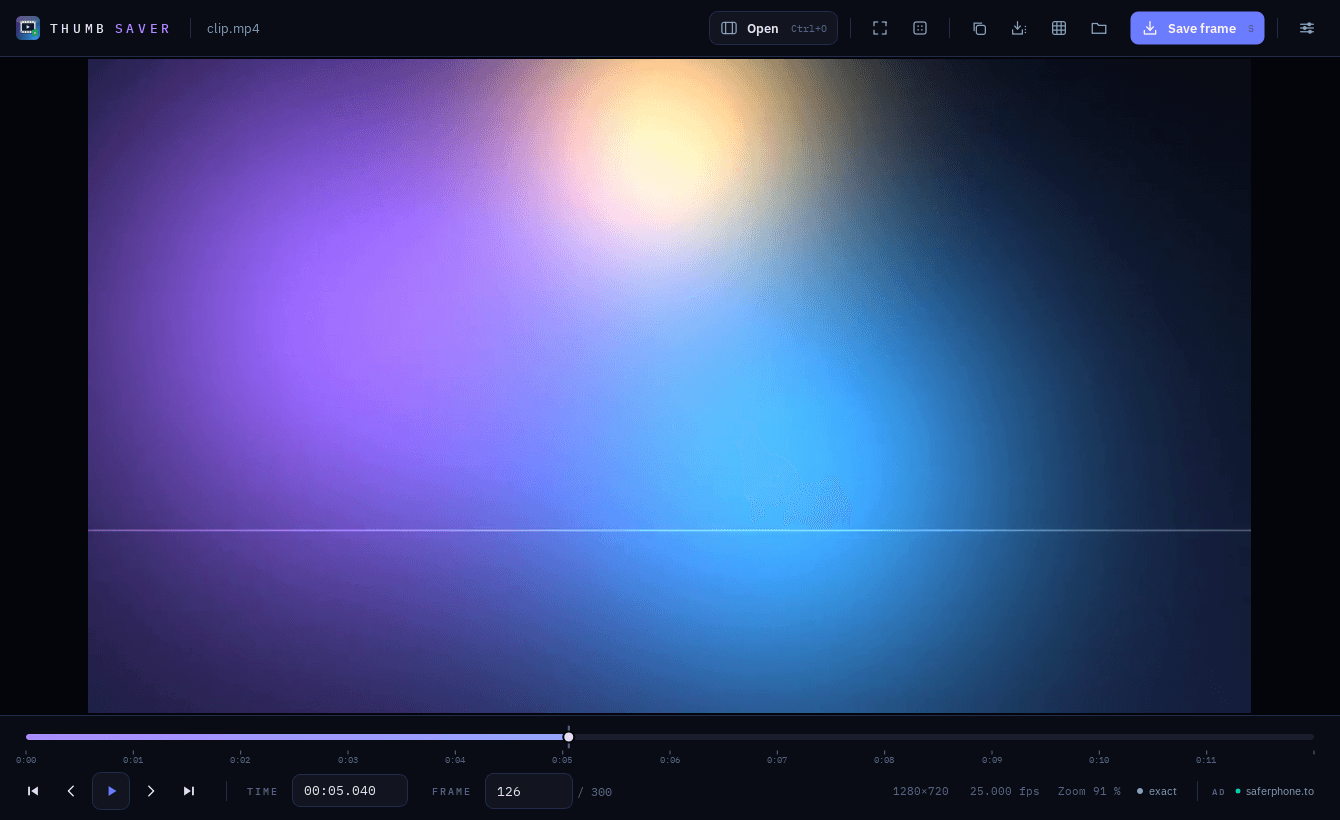
The window
What you get
- Frame-exact, not keyframe-close
- Every single frame is reachable. thumbsaver seeks to the keyframe before it and decodes forward, which is the only way to land on the right one.
- Scrubbing that stays smooth
- Dragging shows an instant preview and settles on the exact frame the moment you stop — even on 4K. What gets saved is always the exact frame, never the preview.
- Nothing is re-encoded
- The PNG is written from the decoded buffer, so it is pixel-identical to the frame in the video.
- Look closely
- Zoom to actual pixels, pan with the mouse, or fit to the window. The status bar tells you resolution, fps and which frame you're on.
- Contact sheet
- One key builds a 3×3 overview of nine frames across the video, with file name, resolution, fps and duration in the header and a timecode on every tile.
- Yours to set up
- Pick the save key, choose PNG or JPG for quick saves, and decide whether it should ask for a folder each time.
Keyboard
- ← / →
- one frame back / forward
- Ctrl + ← / →
- ten frames
- Home / End
- first / last frame
- Space
- play / pause
- S
- save the frame to exports (the key is yours to choose)
- Ctrl + S
- save as …
- Ctrl + C
- copy the frame to the clipboard
- G
- build the 3×3 contact sheet
- 0 / 1
- fit to window / 100 %
- Ctrl + O
- open a video
- Ctrl + ,
- settings
The timeline is a control of its own: drag it, roll the wheel over it for single frames, or focus it with Tab and use the arrow keys.
Formats
Anything ffmpeg reads — the decoder is built in, nothing to install:
- mp4
- mkv
- mov
- avi
- webm
- m4v
- flv
- wmv
- mpg
- mpeg
- ts
Portable, strictly
The application writes only inside its own folder. Copy it to a USB stick and it runs from there.
- config.json — your settings and the window position
- exports\ — the frames you save
- No %APPDATA%, no registry, no system temp
No telemetry, no update check, no network requests at all. The released build ships without any personal data.
thumbsaver 2.1
Free, portable, MIT-licensed.
thumbsaver-2.1-win64.zip
93.3 MB · Windows 10 & 11 · free