
Phantom Recorder for X
X (Twitter) media downloader for Windows
Phantom Recorder fetches the photos, videos and GIFs a profile has posted on X and downloads the ones you pick. A single post works too — paste its link.
What you can save
- Photos from a profile's posts
- Videos
- GIFs
- Single posts, by link
Good to know
- Only the profile's own media is kept. Reposts and the media of quoted posts are skipped.
- Without a sign-in nothing can be fetched: X does not show profiles to visitors who are not signed in.
- There is no live recording for X — Spaces are audio — and no messages.
How it works
- 1
Sign in to X
X puts every profile behind a sign-in. In the program, open the ··· menu → X, press Sign in via browser and sign in inside that window. The session is kept there and reused.
- 2
Add the account
Create a card for the person and type their X username on it.
- 3
Fetch the media
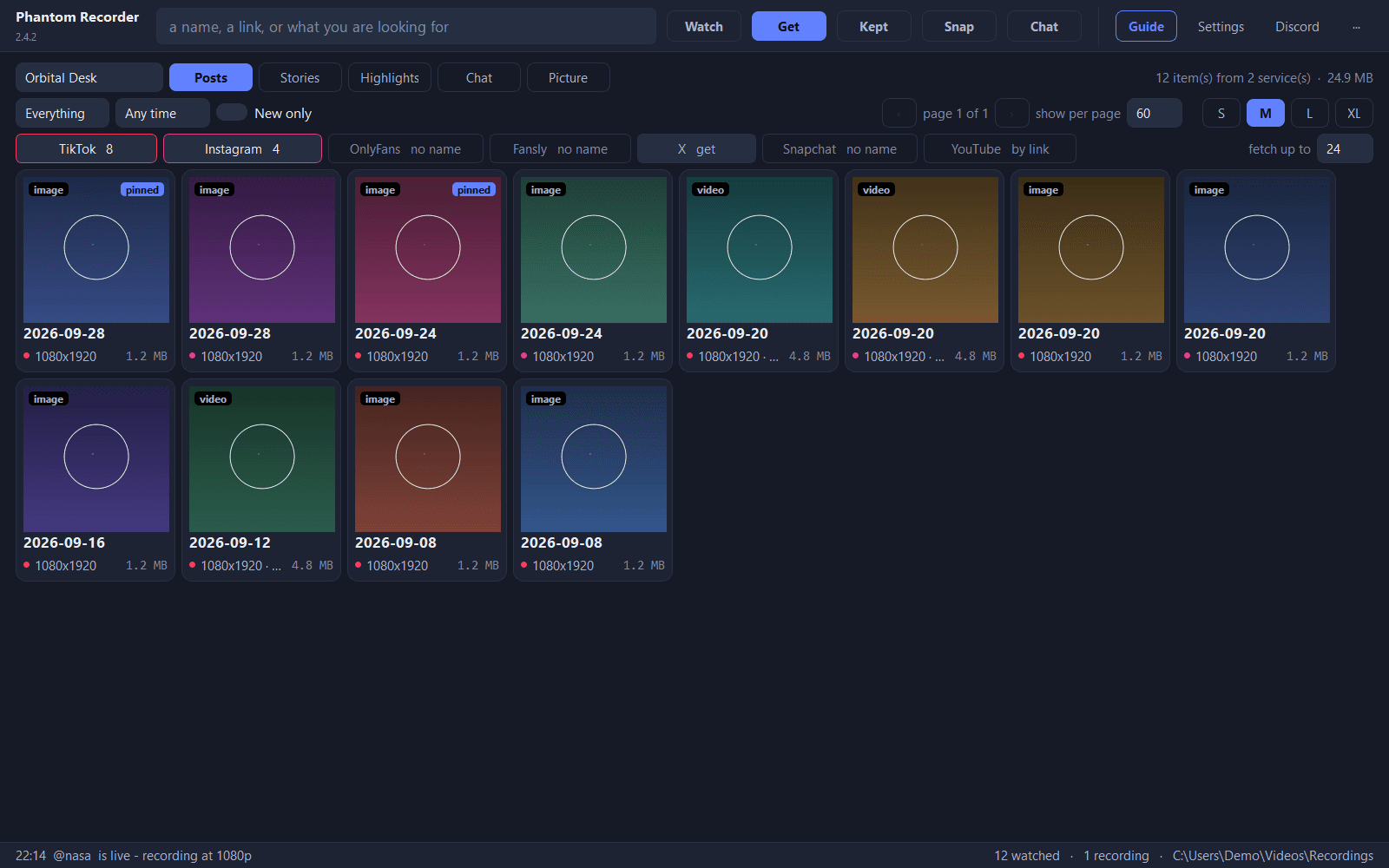
Open Get, choose Posts and press the X chip. Tick the tiles you want and press Download selected.
- 4
Or take a single post
Paste the post's link — x.com/<user>/status/… — into the search box at the top instead.
Every button explained: the X section of the documentation →
In the program
Questions
Do I need an X account?
Yes. X puts every profile behind a sign-in, so you sign in once inside the program. The session is kept and reused for fetching.
Can I download the video of a single post?
Yes. Paste the post's link, x.com/<user>/status/…, into the search box. It appears as a tile you can download.
Are reposts downloaded too?
No. Only the profile's own media is kept; reposts and the media of quoted posts are skipped.
Can it record X Spaces?
No. Spaces are audio, and Phantom Recorder has no live recording for X.
Phantom Recorder 2.4.8
Free for Windows. Unzip and start — nothing to install.